Advertisements
- Open a browser and type http://192.168.1.1 in the address bar.
- Enter the Username: user and Password: user and click Login.
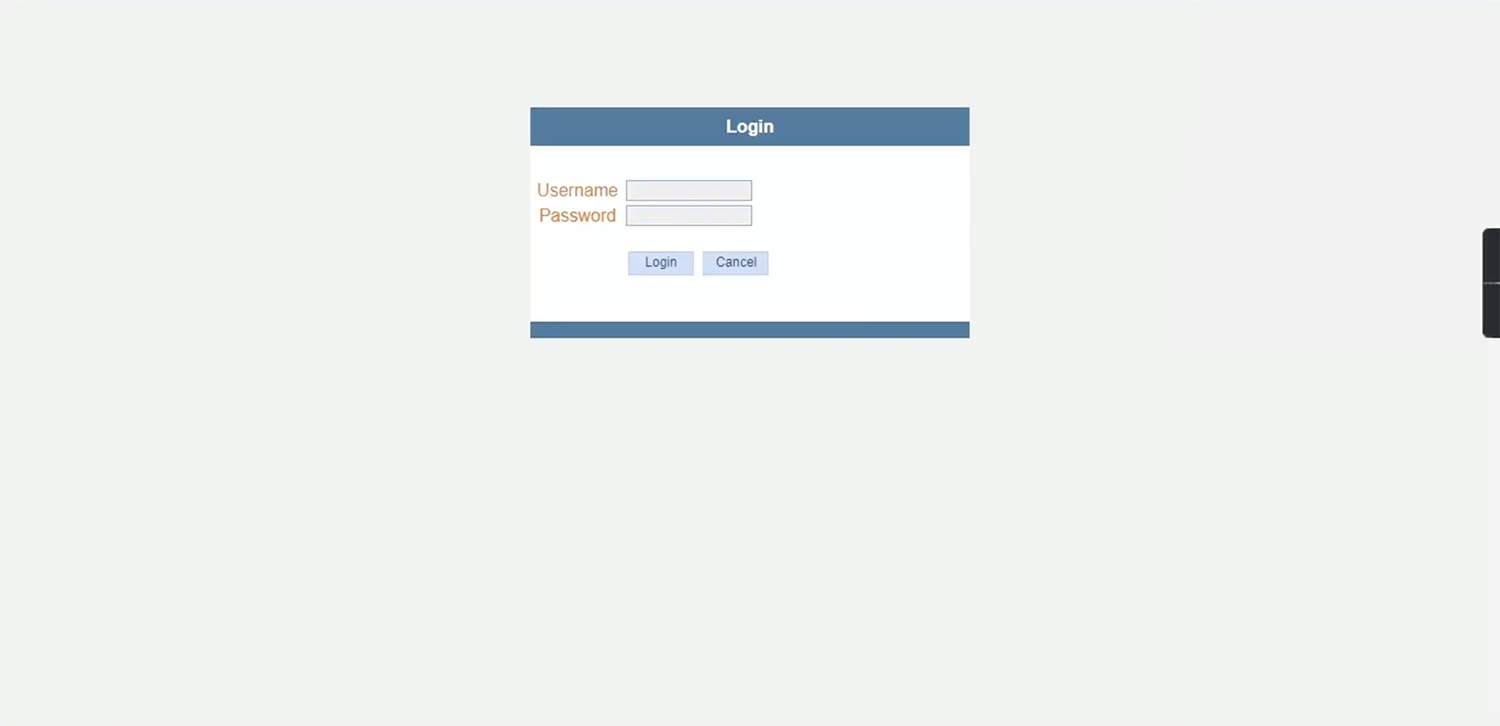
- You will be logged in to the NT Fiber router settings.
Note: The IP Address, Username, and Password are printed on a sticker on the back of the router.
Advertisements
Default NT Fiber Username and Password
| Username: Password: | user user |
| Username: Password: | admin admin |
How to change NT Fiber Wi-Fi Password and Network Name?
- Log in to the router’s settings
- Select Wireless > Basic.
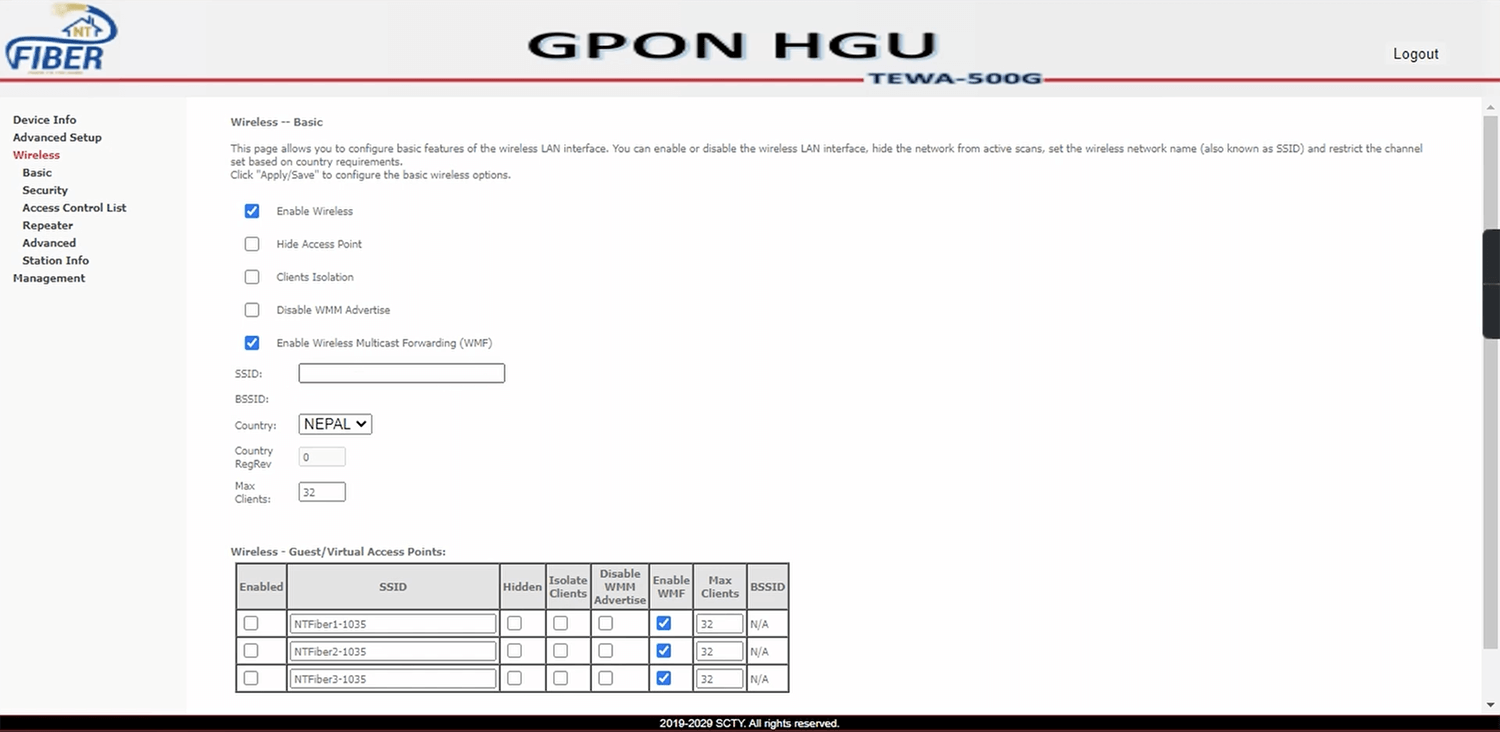
- Enter the Wi-Fi Network Name in the SSID field and click Apply/Save.
- Select Wireless > Security.
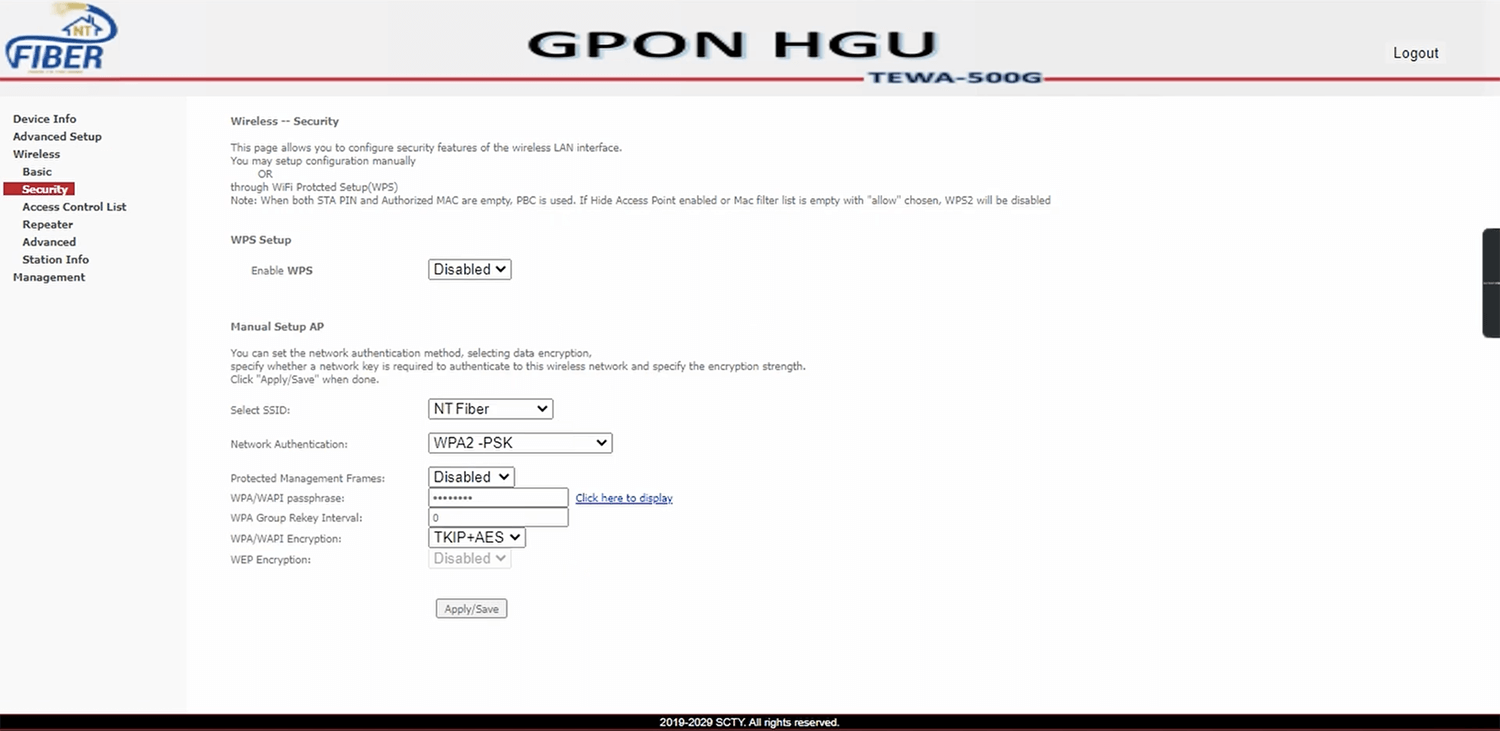
- Enter the Wi-Fi Password in the WPA/WAPI passphrase field and click Apply/Save.
Advertisements