Advertisements

TeamViewer is a powerful software tool that allows you to remotely access and control another computer from anywhere in the world. It is widely used for remote support, online meetings, and file sharing. Here’s a complete guide on how to download, install, and use TeamViewer.
Advertisements
Step 1: Download TeamViewer
- Visit the official TeamViewer website: www.teamviewer.com.
- Click on the “Download” button suitable for your operating system (Windows, Mac, Linux, or mobile devices).
- Save the installer file to your computer.
Step 2: Install TeamViewer
- Open the downloaded installer file.
- Choose the installation type:
- Default Installation (for personal use)
- Custom Installation (for advanced users or business use)
- Accept the license agreement and follow the on-screen instructions.
- Wait for the installation process to complete.
Step 3: Launch TeamViewer
- Open the TeamViewer application.
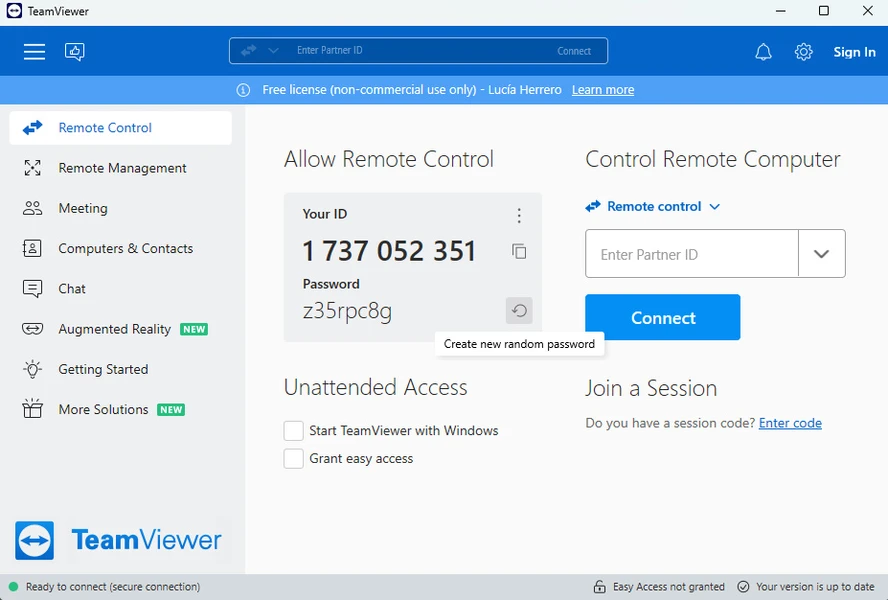
- You will see your ID and Password on the dashboard. This information allows others to connect to your computer securely.
Step 4: Connect to Another Computer
- Ask the remote user for their TeamViewer ID and Password.
- Enter the ID in the “Partner ID” field and click Connect.
- Enter the password when prompted.
- You will now have full access to the remote computer and can provide support or collaborate effectively.
Step 5: Useful Features
- File Transfer: Share files between your computer and the remote device easily.
- Remote Printing: Print documents from a remote computer to your local printer.
- Meeting and Presentation: Conduct online meetings with audio, video, and screen sharing.
Step 6: Security Tips
- Only share your TeamViewer ID and Password with trusted individuals.
- Update TeamViewer regularly to ensure you have the latest security patches.
Using TeamViewer makes remote collaboration, troubleshooting, and online meetings simple and efficient. By following these steps, you can quickly download, install, and start using TeamViewer with confidence.
Advertisements
Advertisements